changeSettings()
Use this when you want to configure the reading range of the spreadsheet.
Arguments
| Argument Name | Description | Type | Notes |
|---|---|---|---|
| startRowNumber | Specify the row number where column names are written | number | |
| startColumnValue | Specify the column where the first column name is | number | string | Specify either the column number or the column letter |
| endColumnValue | Specify the column where the last column name is | number | string | Specify either the column number or the column letter |
Specifying Columns
For startColumnValue / endColumnValue, you can specify either a column number (number) or a column letter (string).
Letters are case-insensitive and interpreted with the same base-26 scheme as spreadsheet column headers. "A" through "Z" are 1 through 26, and "AA" rolls over into two characters.
| Value | Column Number |
|---|---|
"A" | 1 |
"Z" | 26 |
"AA" | 27 |
"AZ" | 52 |
"BA" | 53 |
// The following two are equivalent
gassma.sheet1.changeSettings(1, "B", "E");
gassma.sheet1.changeSettings(1, 2, 5);
Specifying a string that contains non-letter characters (digits, symbols, empty string, etc.) throws GassmaInValidColumnValueError. To specify by number, pass a number rather than a string.
When to Use
If your spreadsheet is in any of the following states, you must call changeSettings() before performing any operations on the sheet.
1. When the Table Is Not in the Top-Left Corner
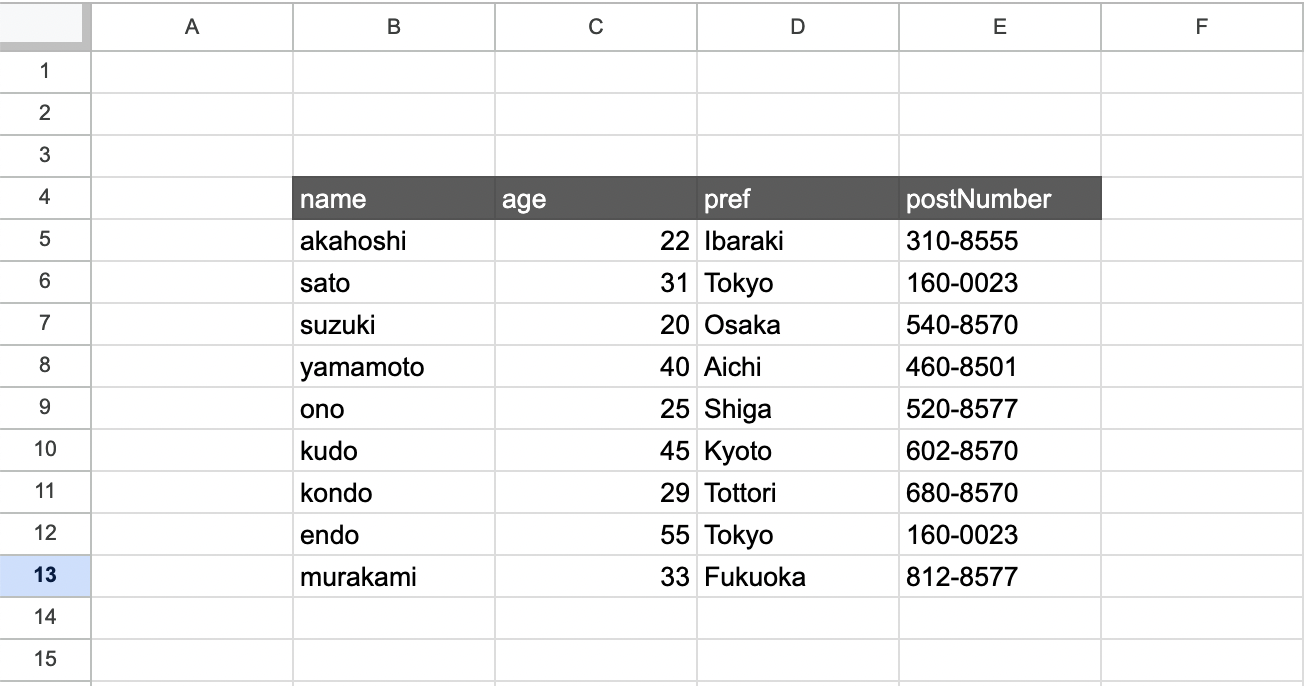
For a table like the one above, you can read the table correctly by writing the following code.
const gassma = new GassmaClient();
// Must be called before any sheet operations
gassma.sheet1.changeSettings(4, "B", "E");

const result = gassma.sheet1.findMany({});
2. When There Is Other Data (e.g., Notes) to the Right
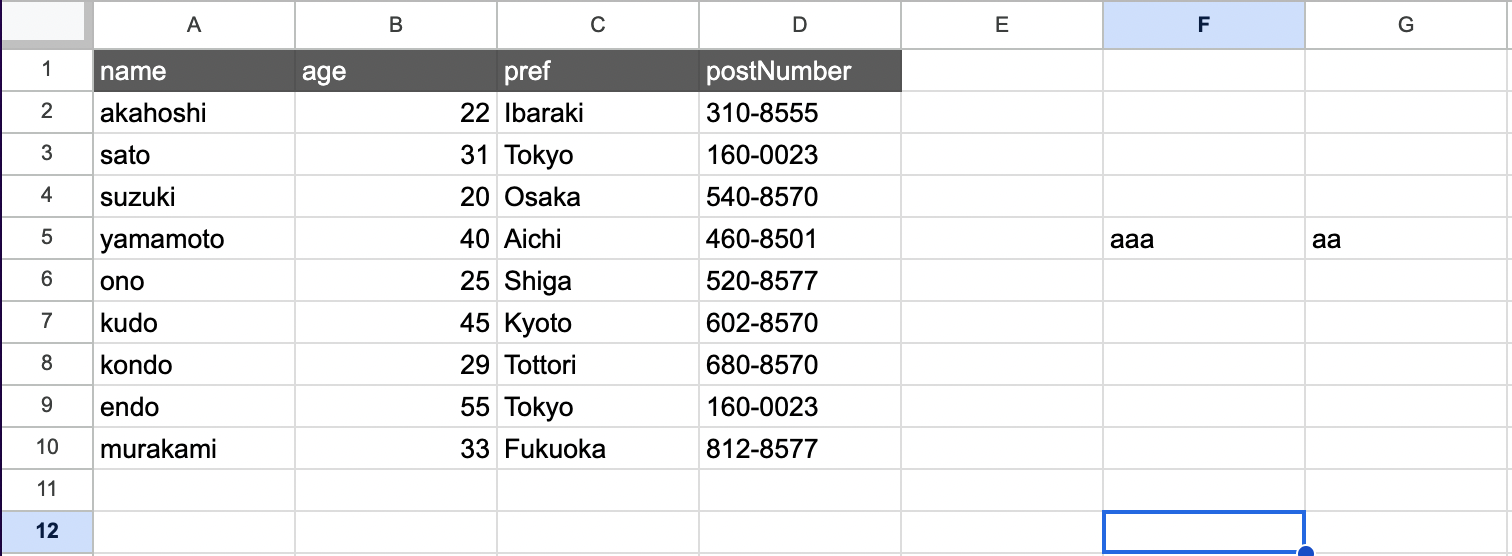
const gassma = new GassmaClient();
// Must be called before any sheet operations
gassma.sheet1.changeSettings(1, "A", "D");

const result = gassma.sheet1.findMany({});