deleteMany()
Used to delete all rows matching the specified conditions.
Available Keys
| Key | Description | Optional | Notes |
|---|---|---|---|
| where | Specifies deletion conditions | Optional | Targets all rows if omitted |
| limit | Maximum number of records to delete | Optional | Negative values cause an error |
where: {}, and a where that became empty because its conditions were only undefined / Gassma.skip, also target every row for deletion. To catch unintended undefined values, enable strictUndefinedChecks.
Example Sheet
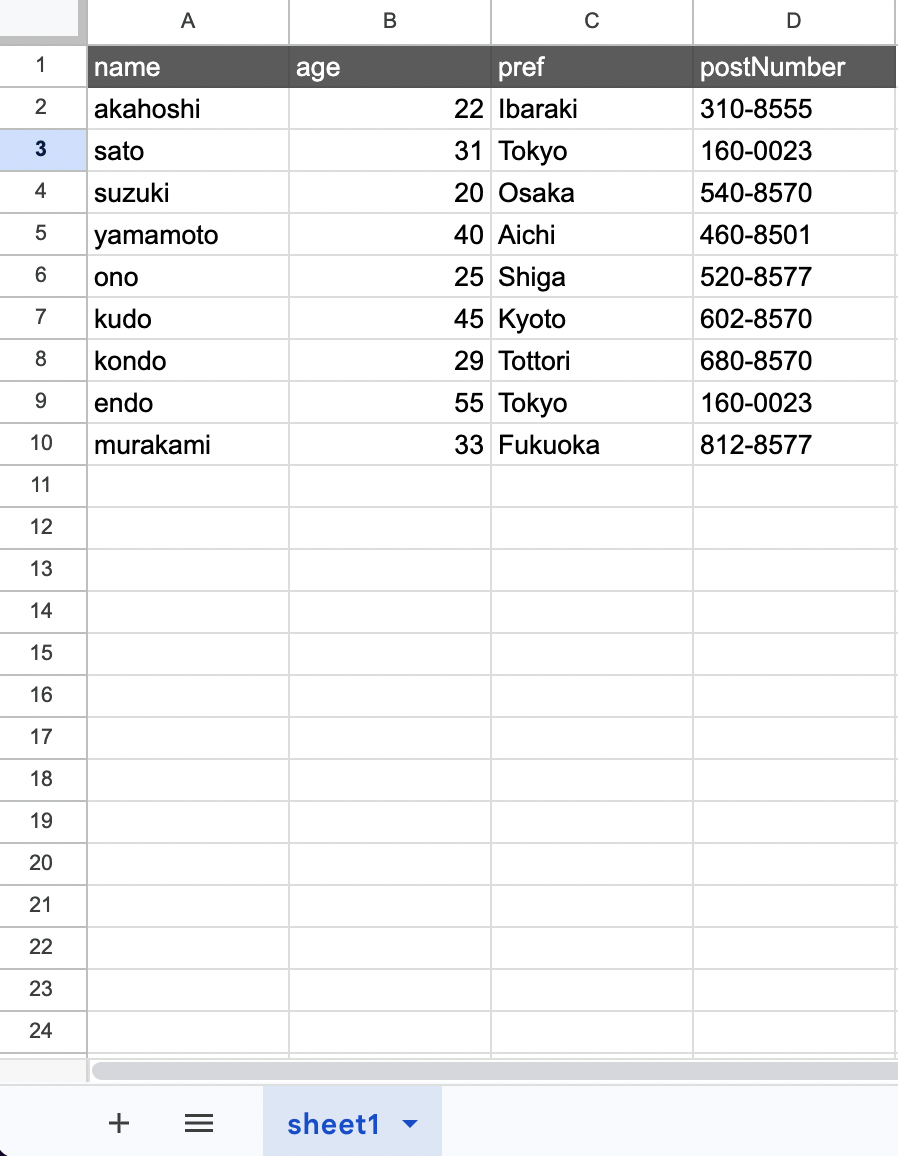
Description
Suppose you want to perform the following operation on the above example:
- age => Delete rows with value 20
The code would be:
const gassma = new GassmaClient();

// gassma.{{TARGET_SHEET_NAME}}.deleteMany
const result = gassma.sheet1.deleteMany({
  where: {
    age: 20,
  },
});
The return value has the following format:
{
  count: 1;
}
The number of deleted rows is returned.
limit
You can specify the maximum number of records to delete:
// Delete at most 3 records
const result = gassma.sheet1.deleteMany({
  where: {
    pref: "Tokyo",
  },
  limit: 3,
});
Specifying limit: 0 results in 0 deletions (nothing is deleted).
Specifying a finite negative value for limit throws GassmaLimitNegativeError.
NaN / Infinity / -Infinity / null throw GassmaInvalidValueError instead. In that case no rows are deleted at all.
gassma.sheet1.deleteMany({ limit: NaN });
// => Invalid value for argument `limit`. Expected a finite number, but received NaN.

gassma.sheet1.deleteMany({ limit: null });
// => Invalid value for argument `limit`. Expected a number, but received null.
The finiteness check runs first, so limit: -Infinity throws GassmaInvalidValueError rather than GassmaLimitNegativeError. undefined is ignored (no upper bound).
The where specification follows findMany().